---
title: "8. Assessment"
url: "https://books.playgoventure.com/10/gvjiig/132/8-assessment"
---
# 8. Assessment
## 8.1 Monitoring Student Progress & Performance
* Student progress and performance are tracked automatically and detailed reports are instantly available on the Instructor Dashboard under **Groups & Reports**.
* Instructors can view and compare summary results for all students in a Group. Clicking a student name displays a detailed **Performance Report** for the student.
* Assessment is fully automated as described below.
## 8.2 Job Interview Simulation
### 8.2.1 Performance SCORE — Metrics & Weights
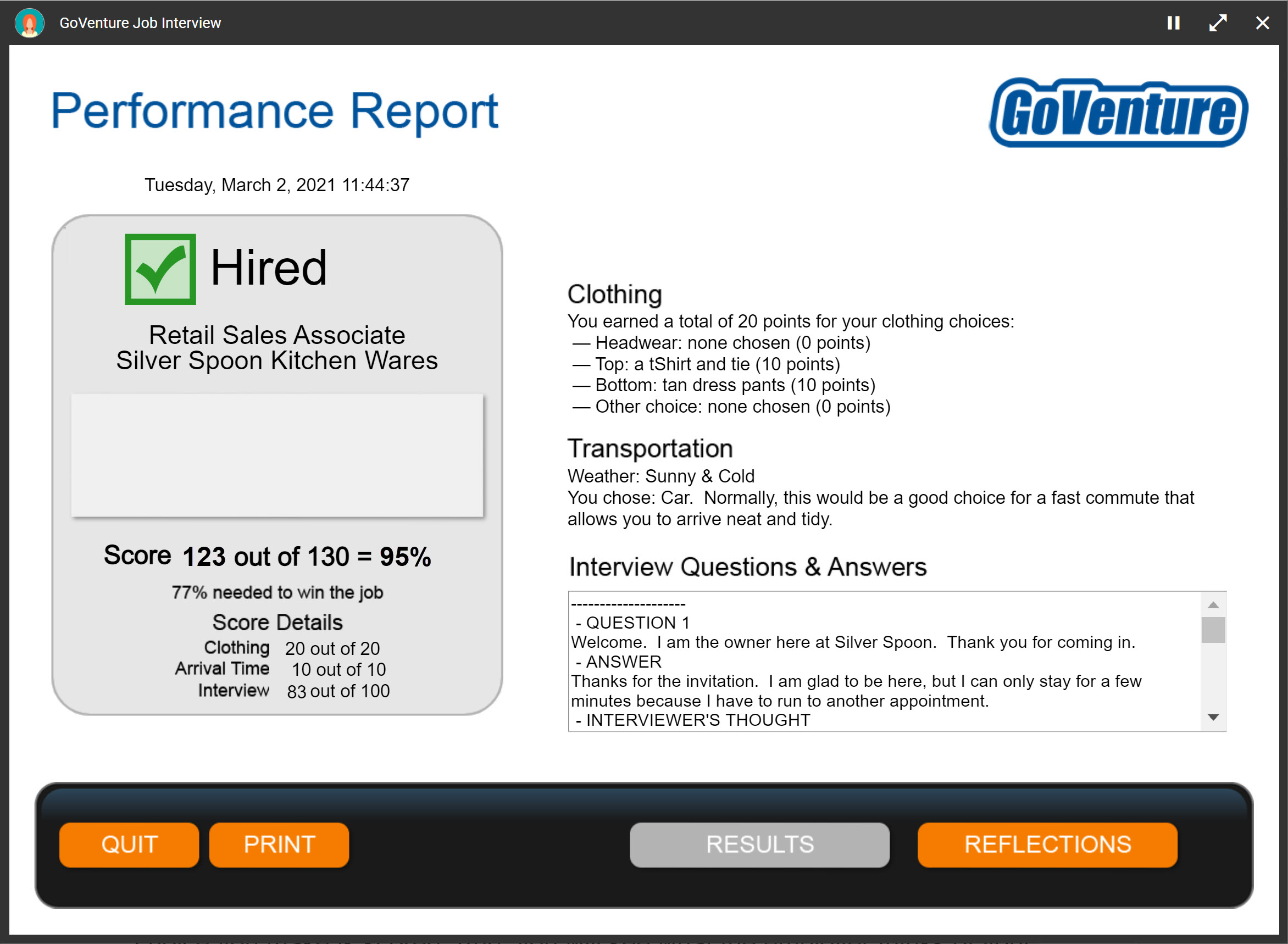
Assessment is fully automated and summarized in a **Performance Score** (0 to 100%) that is weighted across multiple metrics:
Clothing — 16%
Arrival Time — 7%
Interview — 77%
* Each _Job Interview_ (by Group) that students play is assigned a unique score.
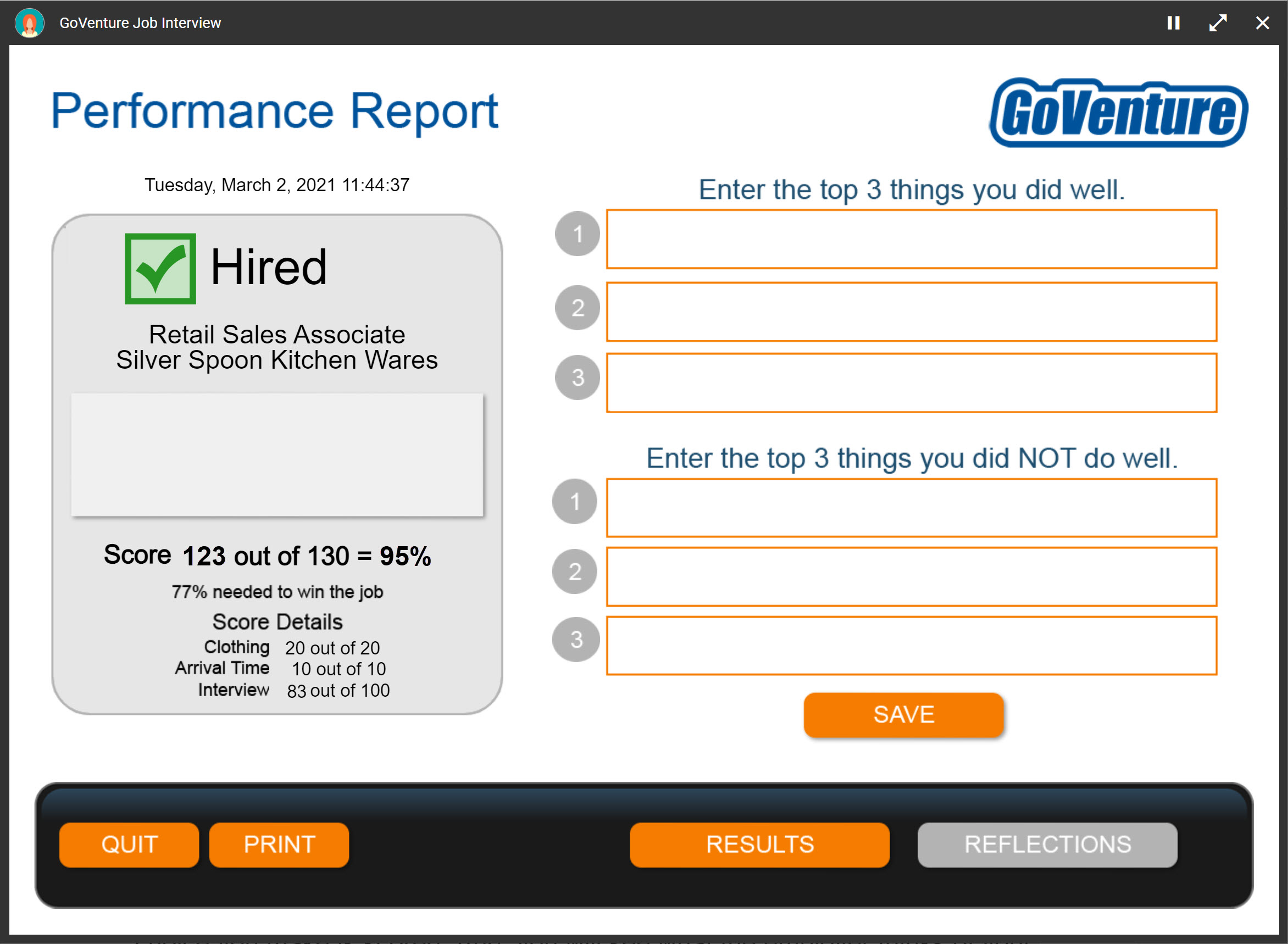
### 8.2.2 Performance Report
* The _Performance Report_ provides a detailed view of student activity, but the only item that is needed by instructors for assessment is the _Performance Score_.
* Students can see their own reports in real time, but not those of other students.
## 8.3 Job Success Simulation
### 8.3.1 Performance SCORE — Metrics & Weights
Assessment is fully automated and summarized in a **Performance Score** (0 to 100%).
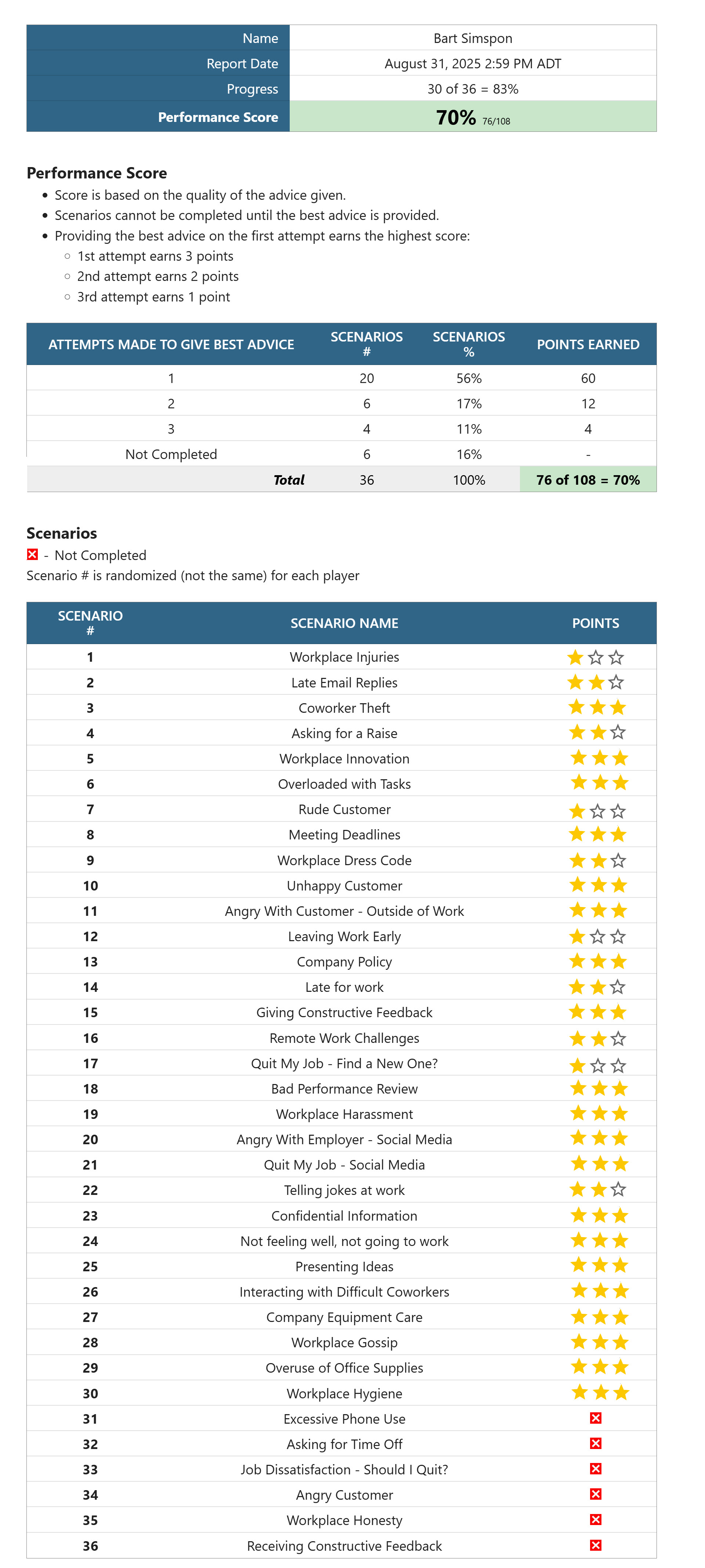
- Score is based on the quality of the advice given.
- Scenarios cannot be completed until the best advice is provided.
- Students can make multiple attempts to choose the best advice.
- Providing the best advice on the first attempt earns the highest score:
- 1st attempt earns 3 points
- 2nd attempt earns 2 points
- 3rd attempt earns 1 point
### 8.3.2 Performance Report
* The _Performance Report_ provides a detailed view of student activity, but the only item that is needed by instructors for assessment is the _Performance Score_.
* Students can see their own reports in real time, but not those of other students.