---
title: "10. Game Design"
url: "https://books.playgoventure.com/14/gvbgig/179/10-game-design"
---

# 10. Game Design

<hr style="margin: 0;">

<img src = "https://books.playgoventure.com/u/game-design-thumb-short-YGxs3S.jpg" style="width: 100%; display: block; margin: auto;">

## 10.1 Game Maker Kit

The **Game Maker Kit** is an amazing collection of components, templates, and how-to guides for designing board games, card games, and tabletop games! Everything you need to be inspired to build your own games is included. Find out more and how to buy at <a href="https://GoVenture.net/gmk" target="_blank"_><u>GoVenture.net/gmk</u></a>

If you already have the Game Maker Kit, you will find more templates and resources to enhance the kit.  If you do not have the Game Maker Kit, you will find guides and resources for anyone who wants to learn about game design.

We also host a **game design and business learning community** open to everyone at <a href="https://joinbxp.com" target="_blank"_><u>joinbxp.com</u></a>

<hr style="margin: 0;">
### 10.1.1 GAMEBOARD — Sliding Bar Assembly Instructions

<div align="center"><iframe src="https://player.vimeo.com/video/1047865649" style="border: none; display: block; margin: auto; aspect-ratio:16/9; height:auto; width:70%;" allow="autoplay; fullscreen; picture-in-picture"></iframe> <div align="center"> <a href="https://player.vimeo.com/video/1047865649" target="_blank"_><u>Watch Full Screen</u></a></div></div>

If you have the Game Maker Kit, this video shows you how to use the sliding bars to add your own gameboard designs.

Find printable gameboards under Component Templates > Gameboard Template
<hr style="margin: 0;">
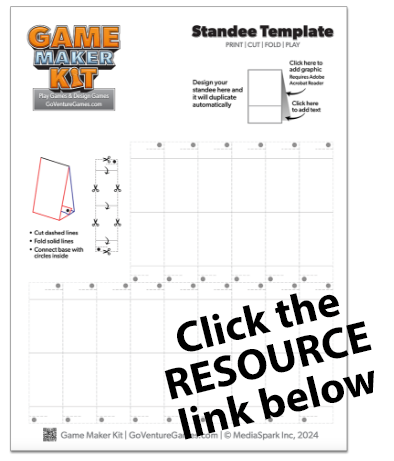
### 10.1.2 STANDEES — Cut & Fold Instructions
<div align="center"><iframe src="https://player.vimeo.com/video/1047277106" style="border: none; display: block; margin: auto; aspect-ratio:16/9; height:auto; width:70%;" allow="autoplay; fullscreen; picture-in-picture"></iframe> <div align="center"> <a href="https://player.vimeo.com/video/1047277106" target="_blank"_><u>Watch Full Screen</u></a></div></div>


<hr style="margin: 0;">

If you have the Game Maker Kit, this video shows you how to cut and fold the included Standees.

For easier folding, use a ruler or other straight edge or score the fold lines.

Design your own Standees using the template under Component Templates > Standee Template

<hr style="margin: 0;">
### 10.1.3 DIAL COUNTER — Cut & Fold Instructions
<div align="center"><iframe src="https://player.vimeo.com/video/1047277089" style="border: none; display: block; margin: auto; aspect-ratio:16/9; height:auto; width:70%;" allow="autoplay; fullscreen; picture-in-picture"></iframe> <div align="center"> <a href="https://player.vimeo.com/video/1047277089" target="_blank"_><u>Watch Full Screen</u></a></div></div>

If you have the Game Maker Kit, this video shows you how to cut and fold the included Dial Counters.

For easier folding, use a ruler or other straight edge or score the fold lines.
<hr style="margin: 0;">
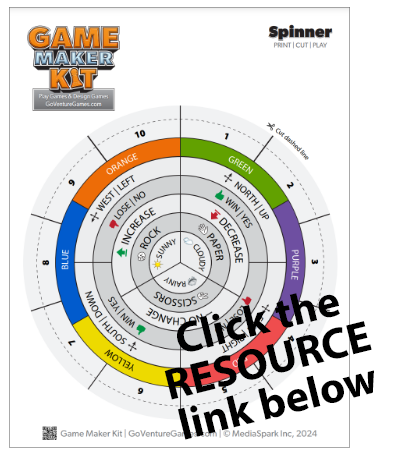
### 10.1.4 SPINNER — Printable

<img src = "https://books.playgoventure.com/u/gmk-template-thumb-1-5-gneNRw.png" style="width: 30%; display: block; margin: auto;">

<div align="center"><a href="https://api.playgoventure.com/files/instructor/GameMakerKit/Game_Maker_Kit_SPINNER_GMK_COLOR_TEMPLATE.pdf" target="_blank"_><u>Spinner Template (PDF)</u></a>
<p style="font-size: 15px;"><i>Must be logged in to access document</i></p>
</div>

If you have the Game Maker Kit, you may print this template to replace the current Spinner.

Design your own Spinner under Component Templates > Spinner Template

<hr style="margin: 0;">
## 10.2 Game Design Worksheet

<img src = "https://books.playgoventure.com/u/2025-01-01_12-58-28-e9HCxa.jpg" style="width: 30%; display: block; margin: auto;">

<div align="center"><a href="https://api.playgoventure.com/files/instructor/GameMakerKit/Game_Maker_Kit_GAME_DESIGN_WORKSHEET_20250101.pdf" target="_blank"_><u>Game Design Worksheet (PDF)</u></a>
<p style="font-size: 15px;"><i>Must be logged in to access document</i></p>
</div>

This expertly-designed worksheet will guide you through every step of designing your own game. This is the digital version of the worksheet included in the Game Design Kit.

You may print this worksheet and design your game on paper, or you can type text directly into the PDF document and save it to your device for future editing and reference.

<hr style="margin: 0;">
## 10.3 Component Templates

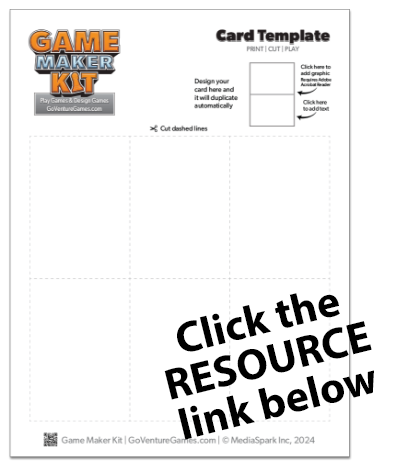
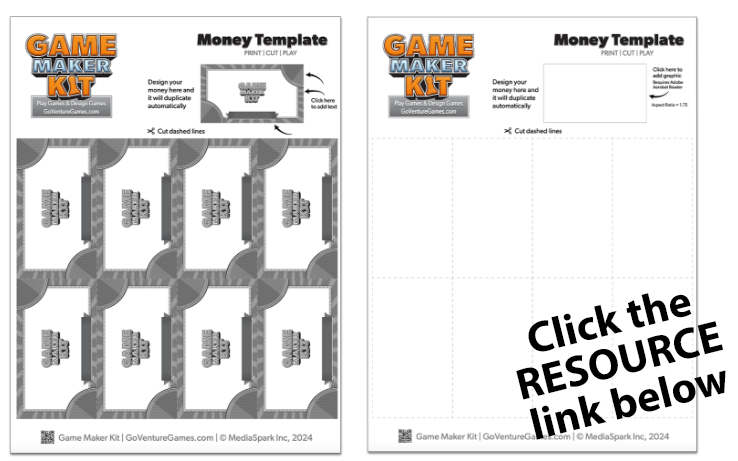
The templates below make it easy for students to design, print, and cut their own game components. Template are provided as PDF documents.

Instructors can view and download the PDF documents and then provide them to students by posting them on your school learning management system, shared drive, USB drive, or other storage location. 

**Directions to Provide to Students**

- Click the link open or download document. 

- The document will open in your Internet browser. Some templates allow you to add your own text, but you cannot add a graphic unless you download the document to your device and open it with the free Adobe Acrobat Reader

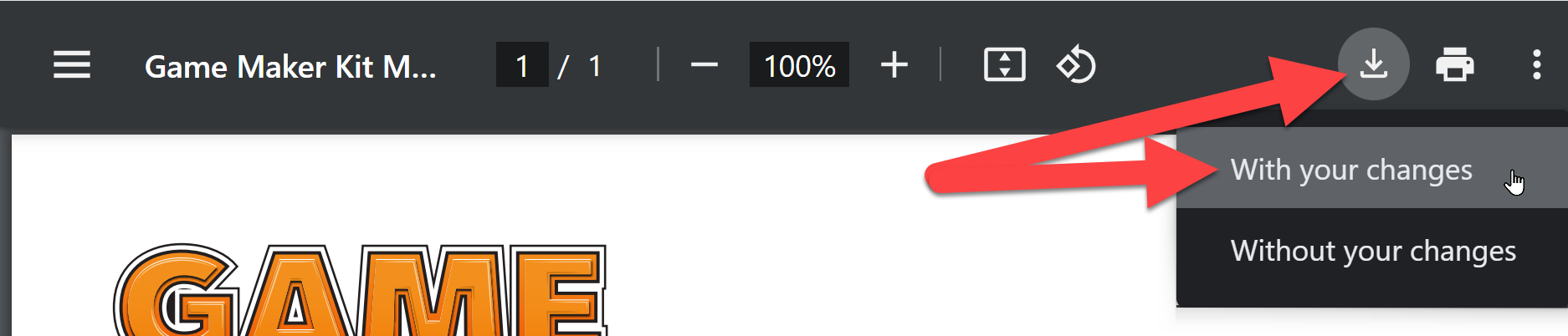
- If using an Internet browser, you can save your text by downloading the document to your device — choose WITH YOUR CHANGES (see screenshot below). You can then open your downloaded document and update the text at any time in the future.

<img src = "https://books.playgoventure.com/u/pdf-download-GQMCKw.png" style="width: 70%; display: block; margin: auto;">

<hr style="margin: 0;">
### 10.3.1 Gameboard Template
<img src = "https://books.playgoventure.com/u/gmk-template-thumb-1-4-IqpK7X.png" style="width: 30%; display: block; margin: auto;">

<div align="center"><a href="https://api.playgoventure.com/files/instructor/GameMakerKit/Game_Maker_Kit_GAMEBOARD_B&W_TEMPLATE.pdf" target="_blank"_><u>Gameboard B&W Template (PDF)</u></a>
<br>
<a href="https://api.playgoventure.com/files/instructor/GameMakerKit/Game_Maker_Kit_GAMEBOARD_COLOR_TEMPLATE.pdf" target="_blank"_><u>Gameboard Color Template (PDF)</u></a>
<p style="font-size: 15px;"><i>Must be logged in to access document</i></p>
</div>

<hr style="margin: 0;">
### 10.3.2 Spinner Template
<img src = "https://books.playgoventure.com/u/gmk-template-thumb-1-1-mBnWn1.png" style="width: 50%; display: block; margin: auto;">

<div align="center"><a href="https://api.playgoventure.com/files/instructor/GameMakerKit/Game_Maker_Kit_SPINNER_BLANK_TEMPLATE.pdf" target="_blank"_><u>Spinner BLANK Template (PDF)</u></a>
<br>
<a href="https://api.playgoventure.com/files/instructor/GameMakerKit/Game_Maker_Kit_SPINNER_GMK_BLANK_TEMPLATE.pdf" target="_blank"_><u>Spinner GMK BLANK Template (PDF)</u></a>
<br>
<a href="https://api.playgoventure.com/files/instructor/GameMakerKit/Game_Maker_Kit_SPINNER_GMK_COLOR_TEMPLATE.pdf" target="_blank"_><u>Spinner GMK COLOR Template (PDF)</u></a>

<p style="font-size: 15px;"><i>Must be logged in to access document</i></p>
</div>

<hr style="margin: 0;">
### 10.3.3 Card Template
<img src = "https://books.playgoventure.com/u/gmk-template-thumb-1-3-t0gL2n.png" style="width: 30%; display: block; margin: auto;">

<div align="center"><a href="https://api.playgoventure.com/files/instructor/GameMakerKit/Game_Maker_Kit_CARD_TEMPLATE.pdf" target="_blank"_><u>Card Template (PDF)</u></a>
<p style="font-size: 15px;"><i>Must be logged in to access document</i></p>
</div>

<hr style="margin: 0;">
### 10.3.4 Standee Template
<img src = "https://books.playgoventure.com/u/gmk-template-thumb-1-2-4d1WKJ.png" style="width: 30%; display: block; margin: auto;">

<div align="center"><a href="https://api.playgoventure.com/files/instructor/GameMakerKit/Game_Maker_Kit_STANDEE_TEMPLATE.pdf" target="_blank"_><u>Standee Template (PDF)</u></a>
<p style="font-size: 15px;"><i>Must be logged in to access document</i></p>
</div>

<hr style="margin: 0;">
### 10.3.5 Money Template
<img src = "https://books.playgoventure.com/u/gmk-template-thumb-1-Vzz7ow.png" style="width: 40%; display: block; margin: auto;">

<div align="center"><a href="https://api.playgoventure.com/files/instructor/GameMakerKit/Game_Maker_Kit_MONEY_GMK_TEMPLATE.pdf" target="_blank"_><u>Money GMK Template (PDF)</u></a>
<br>
<a href="https://api.playgoventure.com/files/instructor/GameMakerKit/Game_Maker_Kit_MONEY_BLANK_TEMPLATE.pdf" target="_blank"_><u>Money BLANK Template (PDF)</u></a>

<p style="font-size: 15px;"><i>Must be logged in to access document</i></p>
</div>

<hr style="margin: 0;">
### 10.3.6 Dial Counter Template
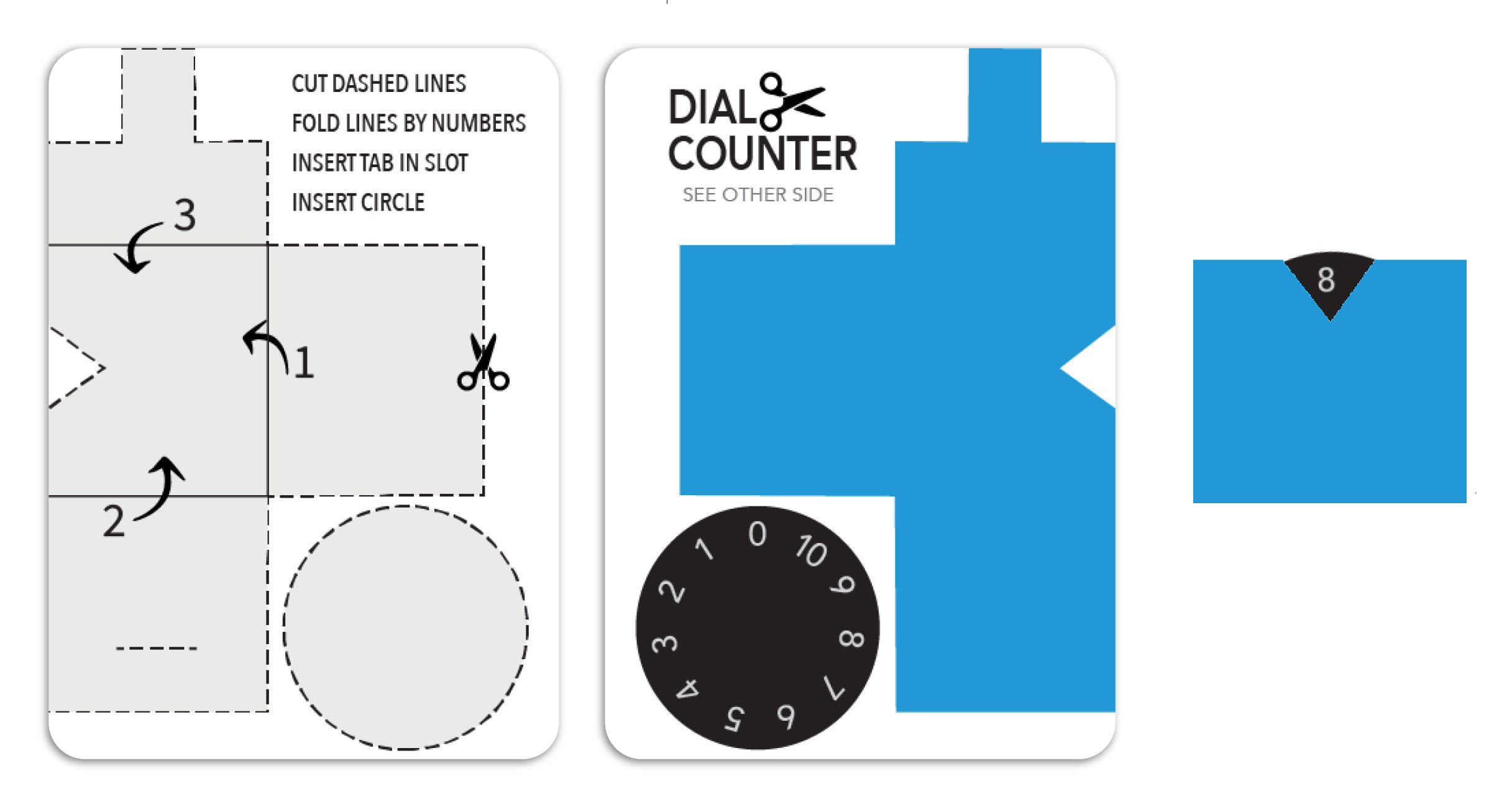
<img src = "https://books.playgoventure.com/u/paper-dial-counter-tIU2mh.jpg" style="width: 50%; display: block; margin: auto;">

Above is a sample design for making your own Dial Counter. Below is a video that shows you how to cut and fold it. For easier folding, use a ruler or other straight edge or score the fold lines.

<div align="center"><iframe src="https://player.vimeo.com/video/1047277089" style="border: none; display: block; margin: auto; aspect-ratio:16/9; height:auto; width:70%;" allow="autoplay; fullscreen; picture-in-picture"></iframe> <div align="center"> <a href="https://player.vimeo.com/video/1047277089" target="_blank"_><u>Watch Full Screen</u></a></div></div>

<hr style="margin: 0;">
## 10.4 Student Activities
<div align="center">
<i>Must be logged in to access these documents</i><br><br>

<a href="https://api.playgoventure.com/files/instructor/GameMakerKit/Game%20Maker%20Kit%20-%20Design%20&%20Manufacturing%20Costs.pdf" target="_blank"_><u>Design & Manufacturing Costs (PDF)</u></a>
<br>
<a href="https://api.playgoventure.com/files/instructor/GameMakerKit/Game%20Maker%20Kit%20-%20Sell%20Sheet.pdf" target="_blank"_><u>Sell Sheet (PDF)</u></a>
<br>
<a href="https://api.playgoventure.com/files/instructor/GameMakerKit/Game%20Maker%20Kit%20-%20Business%20Plan.pdf" target="_blank"_><u>Business Plan (PDF)</u></a>
<br>
<a href="https://api.playgoventure.com/files/instructor/GameMakerKit/Game%20Maker%20Kit%20-%20Student%20Experience%20Report.pdf" target="_blank"_><u>Student Experience Report STEAM (PDF)</u></a>
</div>

<hr style="margin: 0;">
## 10.5 Student Assessment
<div align="center">
<i>Must be logged in to access these documents</i><br><br>

<a href="https://api.playgoventure.com/files/instructor/GameMakerKit/Game%20Maker%20Kit%20-%20Assessment%20Game%20Design%20Worksheet.pdf" target="_blank"_><u>Game Design Worksheet (PDF)</u></a>
<br>
<a href="https://api.playgoventure.com/files/instructor/GameMakerKit/Game%20Maker%20Kit%20-%20Assessment%20Game%20Prototype.pdf" target="_blank"_><u>Game Prototype (PDF)</u></a>
<br>
<a href="https://api.playgoventure.com/files/instructor/GameMakerKit/Game%20Maker%20Kit%20-%20Assessment%20Gameplay.pdf" target="_blank"_><u>Gameplay (PDF)</u></a>
<br>
<a href="https://api.playgoventure.com/files/instructor/GameMakerKit/Game%20Maker%20Kit%20-%20Assessment%20Teamwork.pdf" target="_blank"_><u>Teamwork (PDF)</u></a>
<br>
</div>

<hr style="margin: 0;">
## 10.6 Game Design Community

We host a game design and business learning community open to everyone at <a href="https://joinbxp.com" target="_blank"_><u>joinbxp.com</u></a>

<div style="color: red;"><b>💥Caution</b></div>
_This community does not have the typical GoVenture safety featues for 100% student privacy. GoVenture programs typically do not require K-12 students to use their names, email addresses, or other personally-identifiable information, but this online community requires name and email to join, and members are able to send private messages to each other. Instructor or parental supervision is recommended for younger students. Note that this online community is not the same as our Teaching Superhero community described on the next page._

<hr style="margin: 0;">