---
title: "Quick & Easy Way to Create Board Game Paths"
url: "https://books.playgoventure.com/3/newsletter/238/quick-easy-way-to-create-board-game-paths"
---
# Quick & Easy Way to Create Board Game Paths
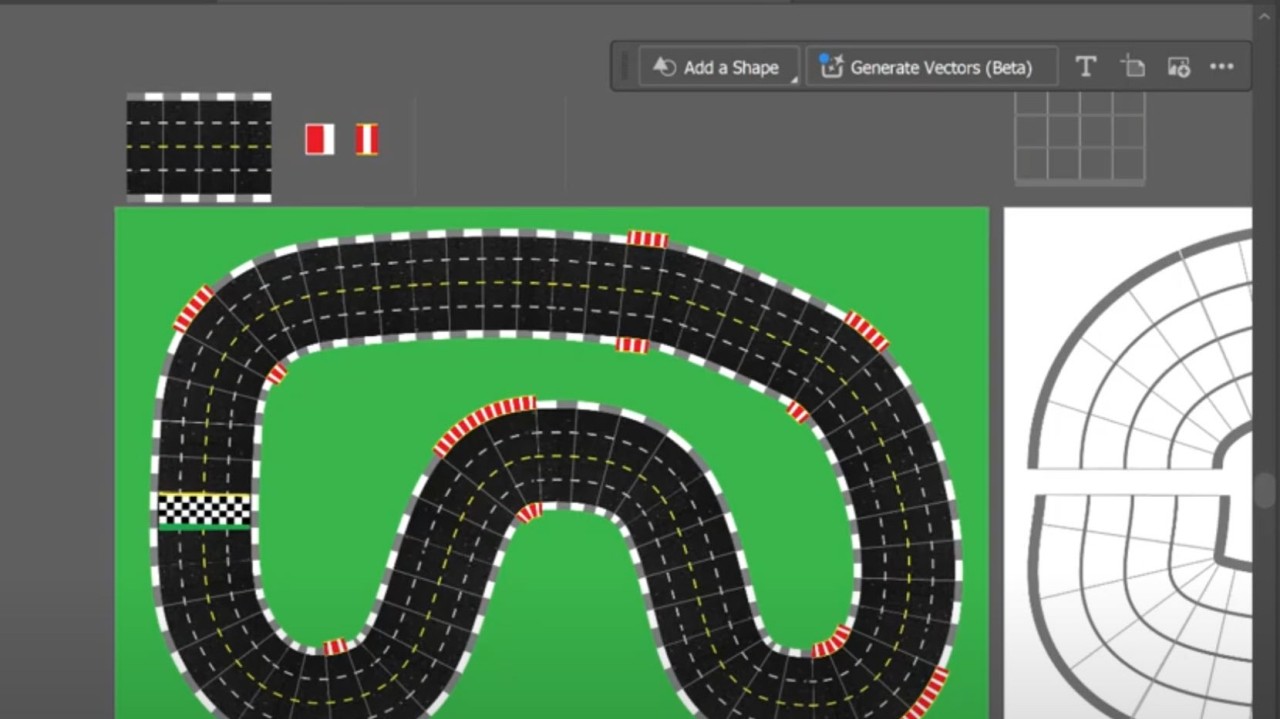
A time-consuming aspect of designing board games is prototyping the player path. It takes a long time to set it up in a graphic design program and then more time as you tweak the gameplay.
In this video, I'll show you a magical way to improve this. I'm using Adobe Illustrator, but other graphic design tools may do the same.
Join our **online community** where educators and trainers share ideas, resources, and discussions on experiential learning, games, and simulations — TeachingSuperhero.com I'm Mathew Georghiou and I write about how games are transforming education and learning. I also share my experience as an entrepreneur inventing products and designing educational resources used by millions around the world. More about me at Georghiou.com
 # Quick & Easy Way to Create Board Game Paths
A time-consuming aspect of designing board games is prototyping the player path. It takes a long time to set it up in a graphic design program and then more time as you tweak the gameplay.
In this video, I'll show you a magical way to improve this. I'm using Adobe Illustrator, but other graphic design tools may do the same.
# Quick & Easy Way to Create Board Game Paths
A time-consuming aspect of designing board games is prototyping the player path. It takes a long time to set it up in a graphic design program and then more time as you tweak the gameplay.
In this video, I'll show you a magical way to improve this. I'm using Adobe Illustrator, but other graphic design tools may do the same.