---
title: "3. Learning Resources"
url: "https://books.playgoventure.com/5/gvceoig/137/3-learning-resources"
---
# 3. Learning Resources
## 3.1 CEO Simulation
Product details are at
GoVentureCEO.com
Students can play once an instructor gives them a Group number to join. Instructors can use the _Play As Student_ feature to play as a student — but you must first create a _Group_ to play.
**Accessibility for People with Disabilities**
GoVenture CEO includes two interface options — the Default graphical interface and an Assistive interface that works with screenreaders, keyboard input, and smartphones. Students can switch between the interfaces at any time using the interface selector next to the PLAY button.
## 3.2 Instructor Guide and Website #
This document you are reading now and an Instructor Dashboard (website) for monitoring student progress and performance.
## 3.3 User Guide
A guide for students that can be accessed from the Dashboard — User Guide
## 3.4 Tutorial Video
Video to watch before playing — available on the Instructor and Student Dashboards and in the User Guide
## 3.5 Student Reflection Slides
A Simulation Competition provides many opportunities for discussion, reflection, and coaching. Use the _Student Reflection Slides_ found on the Instructor Dashboard in the yellow _Tutorials & Guides_ tile.
## 3.6 Competency Quiz
A multiple-choice test personalized for each student. Students must answer questions on business theory and the results from their Simulation. _See section 10_.
## 3.7 Team Evaluation
Peer evaluation of teammate performance when the Simulation is played in teams. _See section 10_.
## 3.8 Financial Activities (Spreadsheet)
Excel templates for students to prepare financial statements and ratio analysis using results from the Simulation. _See section 10_.
## 3.9 Ethics Report
Students prepare written, live, or video presentations or reports on their ethics strategy while playing the Simulation. Templates are provided — _see section 10_.
## 3.10 Student Experience Report
Students prepare written, live, or video presentations or reports on their experience playing the Simulation. Templates are provided — _see section 10_.
## 3.11 How Students Can Use AI With GoVenture Simulations
View Activity
## 3.12 Business Superhero Book
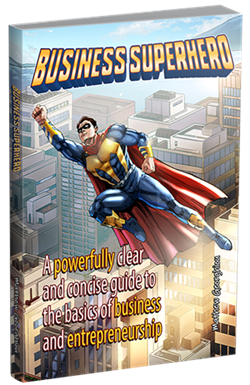 **Business Superhero Book** is a 240-page PDF that covers 145 topics in a format that is easy to read with large text and many examples to make fundamental business concepts easy to understand. Students can use the book as a reference for topics they need help with, or read it from cover to cover to gain practical business wisdom. The book includes fill-in-the-blank tables that students can complete for practice or submit for assessment. The book is available on the Instructor and Student Dashboards.