---
title: "3. Learning Resources"
url: "https://books.playgoventure.com/9/gvdmig/98/3-learning-resources"
---
# 3. Learning Resources
## 3.1 Marketing Simulation
Simulates an engaging narrative story that places students in the role of an inventor of a new product. Students learn the basics of digital marketing while building and optimizing a marketing funnel to maximize sales and other metrics. Product details are at
GoVenture.net/dm
Students can play the Marketing Simulation activity once an instructor gives them a Group number to join. Instructors can use the _Play As Student_ feature to play as a student — but you must first create a _Group_ to play.
## 3.2 Marketing Content Creator
An activity where students create their own marketing content to sell a good or service. This includes identifying the product, consumer profile, brand, and marketing strategy and then designing a website, landing pages, and various advertisements. This activity can be assigned after the Simulation has been completed and must be assessed manually by instructors.
- Product details —
GoVenture.net/dm
- View Tutorial Video
- More details in section 8.3.
Students can play the Marketing Content Creator activity once an instructor gives them a Group number to join. Instructors can use the _Play As Student_ feature to play as a student — but you must first create a _Group_ to play.
## 3.3 Advertising Simulation
The Advertising Simulation allows students to practice placing ads, tracking performance metrics, and optimizing an ad budget to maximize profit. Students identify a good or service to market, set the selling price and cost of sales, define a marketing strategy, and then place ads to achieve the highest Profit and Return on Ad Spend (ROAS).
The experience is all simulated. This makes it easy to practice difficult marketing concepts in a short period of time. There’s no financial risk. And students don’t have to set up multiple accounts on real-world ad networks.
- Product details —
GoVenture.net/dm
- View Tutorial Video
- More details in section 8.4.
Students can play the Advertising Simulation once an instructor gives them a Group number to join. Instructors can use the _Play As Student_ feature to play as a student — but you must first create a _Group_ to play.
## 3.4 Instructor Guide and Website
This document you are reading now and an Instructor Dashboard (website) for monitoring student progress and performance.
## 3.5 User Guide
A guide for students that can be accessed from the Dashboard — User Guide
## 3.6 Demo & Tutorial Video
Video to watch before playing the Simulation — available in the User Guide
## 3.7 Book
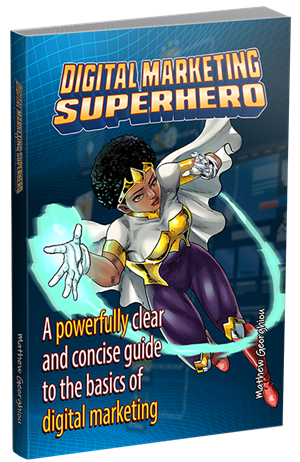
View BookYou must be logged in to view the PDF
**Digital Marketing Superhero Book** includes the text for the narrative story and the video scripts contained within the _Digital Marketing Simulation_. And a full glossary of terms. The book can be used as a learning resource on its own or as a reference when playing the Simulation.
The book is available in the User Guide
## 3.8 Glossary
Glossary of 179 terms is included in the User Guide and in the _Digital Marketing Superhero Book_.
## 3.9 Additional Videos
Several videos are available in the User Guide for students to go deeper into specific aspects of digital marketing.
## 3.10 How Students Can Use AI With GoVenture Simulations
View Activity