 Move K-12 Schools
Open K-12 Schools
🏫K-12 Schools
Sharing Student Accounts — 4 Options are explained in this video and in the text below.
GoVenture instructor accounts for K-12 schools are assigned a specific number of student accounts. If you want to share those student accounts with other instructors, choose one of the 4 options below. There is no cost.
1. Share Your Instructor Login
You can share one GoVenture instructor login (username and password) with more than one instructor.
This option is best if you only have a few instructors who are working with the same students. No other setup is necessary to make this work.
If instructors
K-12 Schools
873 words
Move College, Nonprofit, Business
Open College, Nonprofit, Business
🏛️ Colleges, Nonprofits, Businesses
Review the sharing options described below to choose the best one for your needs. Sharing can be done with other instructors, administrators, or teaching assistants. There is no cost.
Share Your Login — works with all GoVenture programs
The easiest way to share access to your account is to share the account login — username and password. This works with all GoVenture programs.
When sharing the same login, try to avoid being logged in at the same time, unless you are only viewing information. When changing information (creating, editing, etc.), it is safer when there is only one person logged in at the time changes are being made.
GoVenture ENTREPRENEUR, HEALTH, DIGITAL MARKETING, PROJECT MANAGEMENT, JOB INTERVIEW, TYPING — share access
- Instructors can share access to their accounts with other instructors, colleagues, or teaching assistants who also have GoVenture
College, Nonprofit, Business
487 words
Move How To Use Sharing
Open How To Use Sharing
How To Use Sharing
Once the sharing feature is set up on your instructor account, here is how to use it —
GoVenture CEO
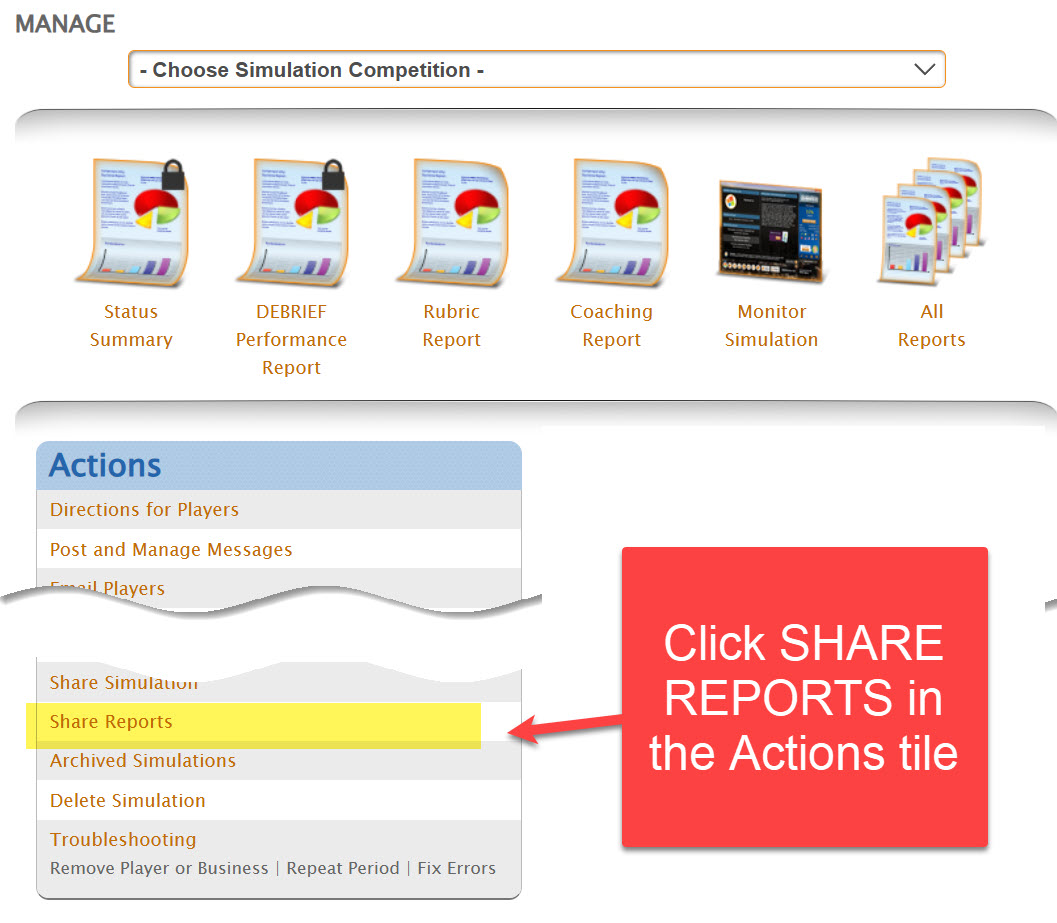
All Other GoVenture products
You must access the shared account to create or view groups and invite students to play. Your instructor account may not be set up to allow students to play — so you must use the shared account, as shown below.
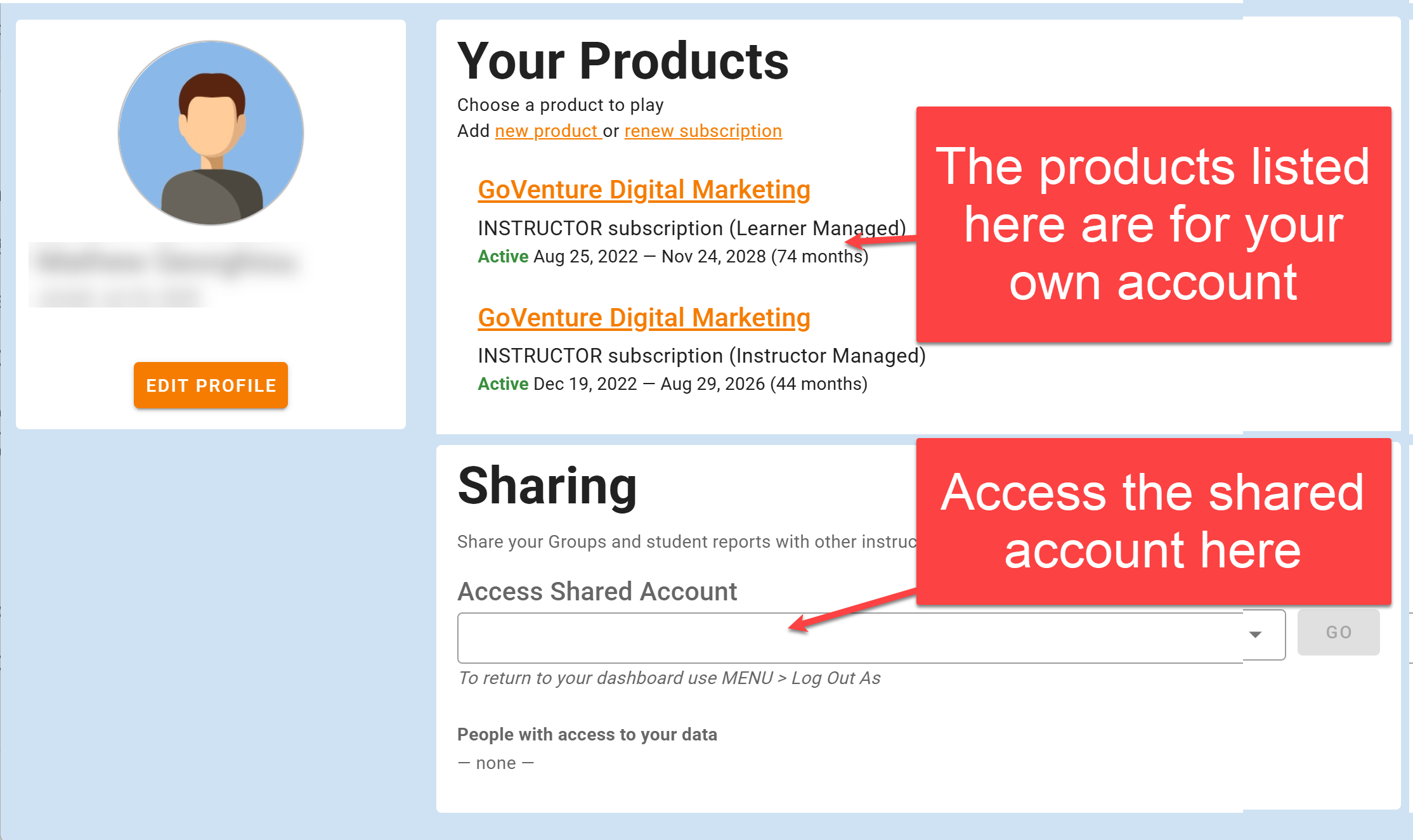
- View-only access allows viewing of everything in a shared account but no changes.
- Full access allows creation and editing of Groups, student accounts, and everything else the account owner can do.
How To Use Sharing
130 words
Move Team & District Dashboard
Open Team & District Dashboard
Team & District Dashboard
The Team & District Dashboard is a feature available with certain GoVenture programs for K-12 schools or districts with teams of instructors. The Dashboard makes it easy for multiple instructors at the same or different schools or organizations to manage and share instructor and student access to GoVenture.
1. District/Team Setup
The Dashboard includes a unique 8-digit numeric District KEY that looks like this — 12345678
The District KEY is given to instructors and curriculum personnel to personally log in and CREATE ACCOUNTS for GoVenture. The District KEY should be kept private and only given to authorized personnel, never to students or anyone else. All instructors in your school or district use the same District KEY.
The District Administrator should create an account on GoVenture and then contact GoVenture (using the same account email) to request District Admin privileges for access to t
Team & District Dashboard
1,359 words