How To Use Sharing
Once the sharing feature is set up on your instructor account, here is how to use it —
GoVenture CEO
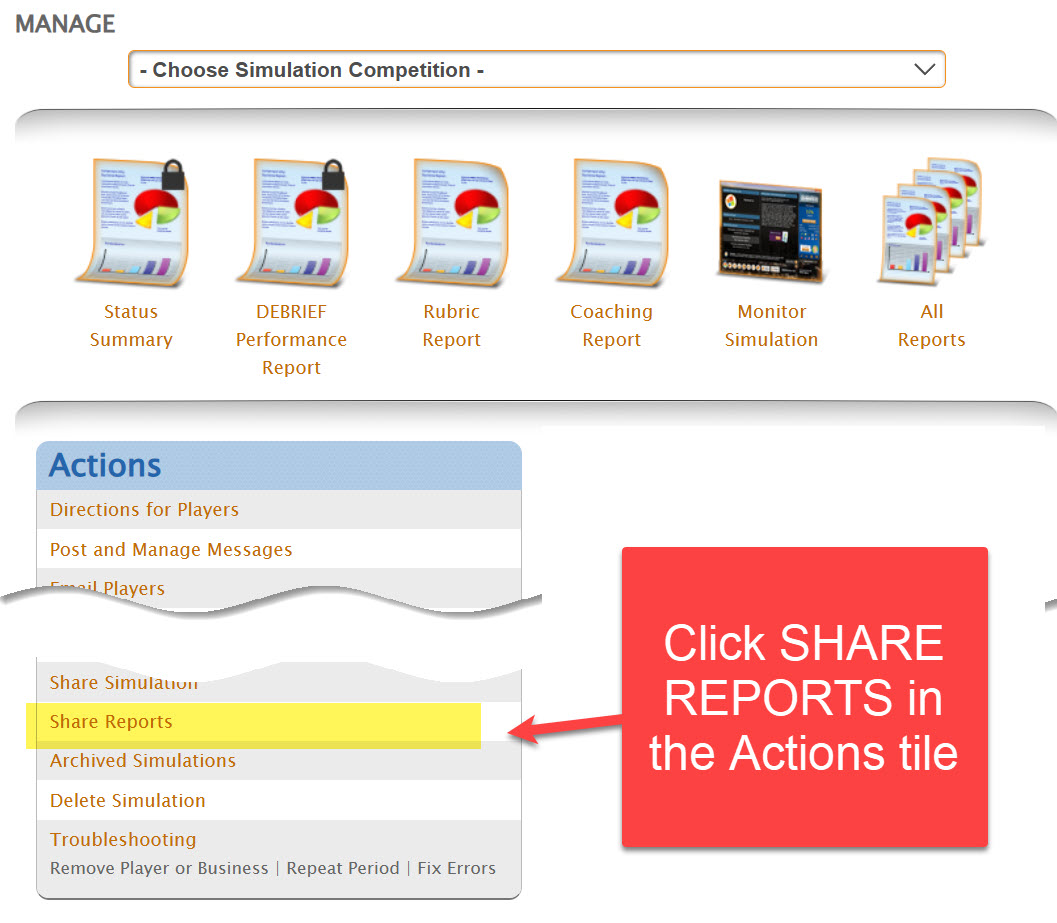
All Other GoVenture products
You must access the shared account to create or view groups and invite students to play. Your instructor account may not be set up to allow students to play — so you must use the shared account, as shown below.
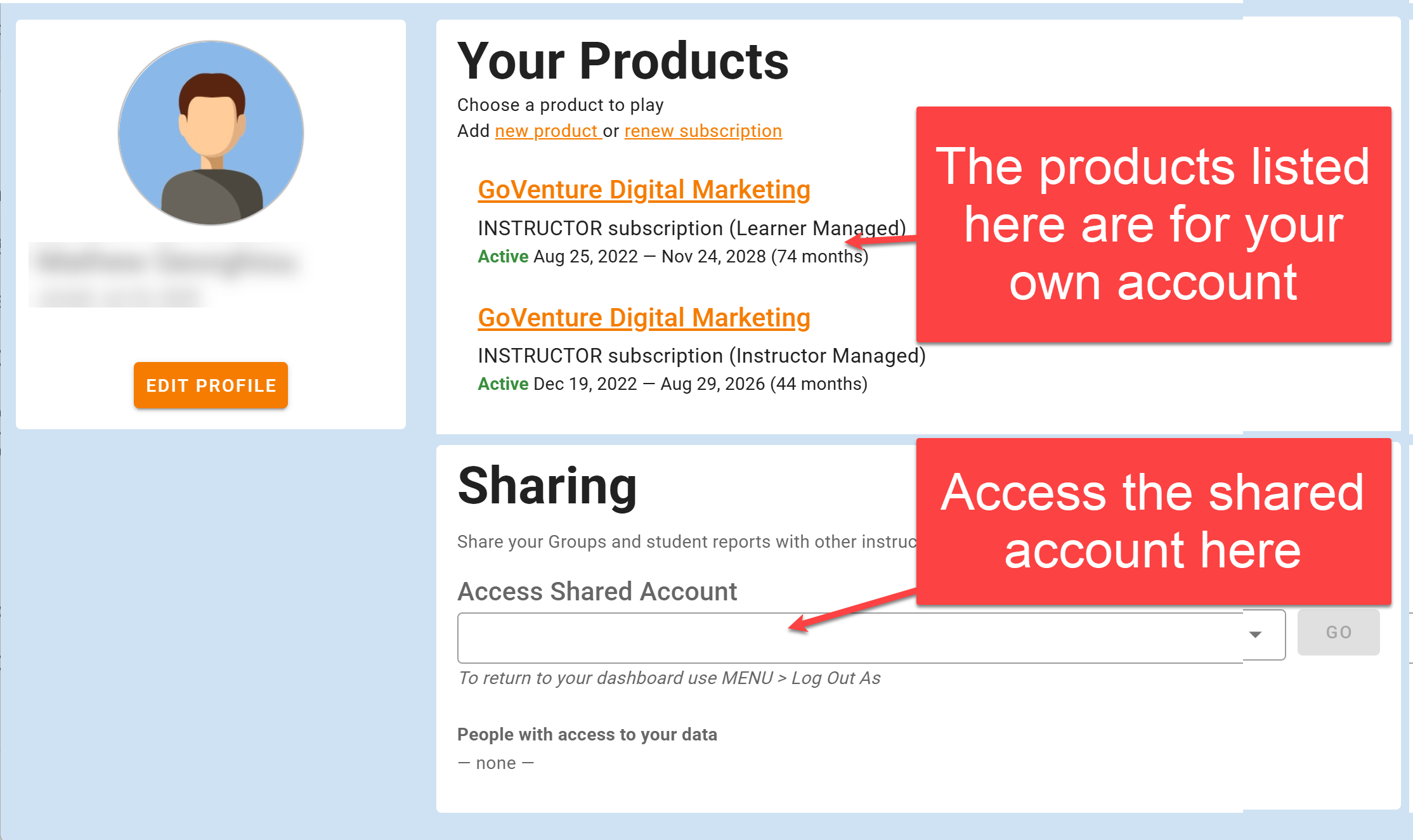
- View-only access allows viewing of everything in a shared account but no changes.
- Full access allows creation and editing of Groups, student accounts, and everything else the account owner can do.