9. Additional Activities
Additional activities are available that can be assigned to students to supplement the Digital Marketing simulations. They can be used as discussion forum prompts or graded assignments.
There are two types of activities:
- Brief — about 5 minutes of effort
- Comprehensive — about 45 minutes of effort
Activities are organized by milestone to allow for pacing over multiple days or weeks.
Instructors should review the content below and copy the selected text and resources into your syllabus. (Do not direct students to this page.)
9.1 Milestones 🎯
Activities are organized by milestone to allow for pacing over multiple days or weeks.
9.1.1 Marketing Simulation | Milestones
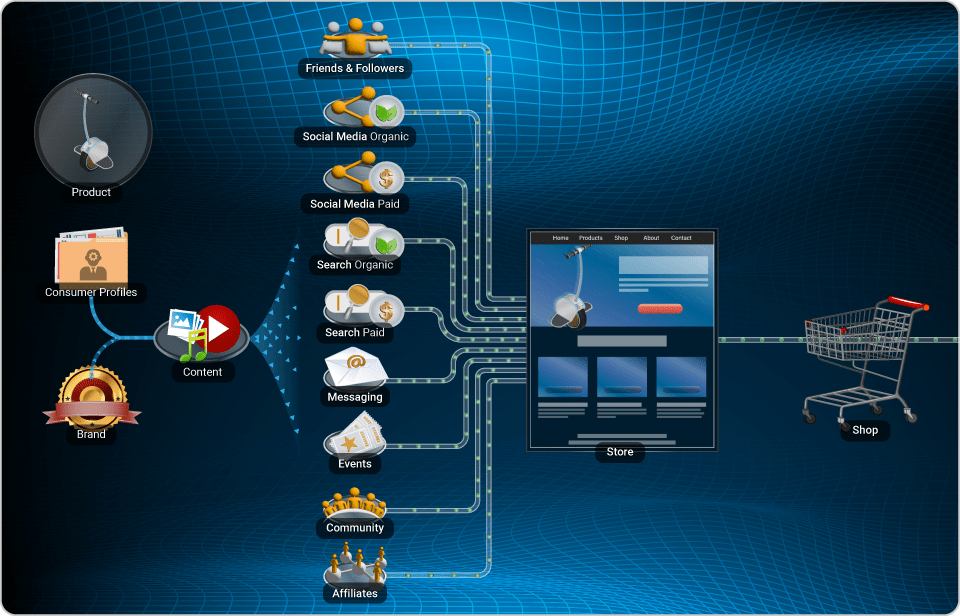
Student Instructions — The simulation consists of 18 modules, as listed below and grouped by milestone. Complete each milestone by the due date set for your course. Then complete the activity assigned for each milestone.
- Milestone 1: Consumer Profiles, Brand, Content
- Milestone 2: Website, Shopping Online, Friends & Followers
- Milestone 3: Social Media Organic, Metrics, Social Media Paid
- Milestone 4: Search Organic, Search Paid, Order Options
- Milestone 5: Messaging, Events, Community
- Milestone 6: Affiliate Marketing, Landing Pages
- Milestone 7: Selling and complete the simulation
9.1.2 Advertising Simulation | Milestones
Student Instructions — The simulation consists of 3 milestones, as listed below. Complete each milestone by the due date set for your course. Then complete the activity assigned for each milestone.
- Milestone 1: Tutorial, Product & Marketing Strategy, Audiences
- Milestone 2: Ads Manager — Spend half of your budget (Progress 50%)
- Milestone 3: Ads Manager — Spend all of your budget (Progress 100%)
9.1.3 Marketing Content Creator | Milestones
This module does not include additional activities because it already includes a series of activities that instructors can assign.
9.2 Student Instructions for All Activities 📄
- Answer the questions and provide the information requested.
- Do not use Artificial Intelligence (AI) to complete the assignment.
- Find the answers in your Simulation or Performance Report.
- Submit response on: ________________________________
- Points: ______________________
- Due Date: ___________________
9.3 Marketing Simulation | Brief Activities
Milestone 1: Consumer Profiles, Brand, Content
What did you name your product and why?
Milestone 2: Website, Shopping Online, Friends & Followers
List the 18 modules in the Digital Marketing simulation. Identify the modules you have completed so far. What was your Budget at the start of Week 1?
Milestone 3: Social Media Organic, Metrics, Social Media Paid
Find these answers in your Performance Report in the Metrics & Financials table.
Of the 18 modules in the Digital Marketing simulation, list the modules you have completed so far.
In the first week of selling to Friends & Followers:
- How many orders did you receive?
- What was the Customer Acquisition Cost (CAC)?
In the final week of optimizing Friends & Followers:
- How many orders did you receive?
- What was the Optimization Result percentage?
- What was the Customer Acquisition Cost (CAC)?
Milestone 4: Search Organic, Search Paid, Order Options
Find these answers in your Performance Report in the Metrics & Financials table.
Of the 18 modules in the Digital Marketing simulation, list the modules you have completed so far.
In the first week of adding Order Options (Shop):
- How many orders did you receive?
- What was the Average Order Value (AOV)?
In the final week of optimizing Order Options (Shop):
- How many orders did you receive?
- What was the Optimization Result percentage?
- What was the Average Order Value (AOV)?
Did the AOV change?
Milestone 5: Messaging, Events, Community
Of the 18 modules in the Digital Marketing simulation, list the modules you have completed so far.
When optimizing Messaging, Events, and Community, which resulted in the highest Optimization Result percentage?
What signal or metric did you use to decide when to stop optimizing a particular traffic channel?
Milestone 6: Affiliate Marketing, Landing Pages
Of the 18 modules in the Digital Marketing simulation, list the modules you have completed so far.
If you were selling this product in the real world, identify 3 potential affiliates you would approach and the revenue share you would offer each. Briefly explain why you selected these affiliates.
Milestone 7: Selling and complete the simulation
Reflect on your experience playing the simulation. List 3 things you did well and 3 things you would improve. Provide your brief response in bullet form.
9.4 Marketing Simulation | Comprehensive Activities
Milestone 1: Consumer Profiles, Brand, Content
- What did you name your product, and why?
- Choose 2 alternative names for your product and explain why you selected them.
- Conduct a trademark search for one of these names using the intellectual property office for your country — in the USA, use the US Patent and Trademark Office (USPTO); in Canada, use the Canadian Intellectual Property Office (CIPO). Describe your findings and explain whether the name appears to be available for use.
Milestone 2: Website, Shopping Online, Friends & Followers
Find these answers in your Performance Report in the Modules section and Metrics & Financials table.
- List the 18 modules in the Digital Marketing simulation. Identify the modules you have completed so far. What was your Budget at the start of Week 1?
- The Performance Score uses a weighted formula based on three measures. Describe each measure and explain why, together, they provide a fair assessment of effort and skill.
Milestone 3: Social Media Organic, Metrics, Social Media Paid
Find these answers in your Performance Report in the Metrics & Financials table.
Of the 18 modules in the Digital Marketing simulation, list the modules you have completed so far.
In the first week of selling to Friends & Followers:
- How many orders did you receive?
- What was the Customer Acquisition Cost (CAC)?
In the final week of optimizing Friends & Followers:
- How many orders did you receive?
- What was the Optimization Result percentage?
- What was the Customer Acquisition Cost (CAC)?
Do you have a large network of friends and followers? How comfortable would you be promoting and selling a product to them? Explain your answer.
Milestone 4: Search Organic, Search Paid, Order Options
Find these answers in your Performance Report in the Metrics & Financials table.
Of the 18 modules in the Digital Marketing simulation, list the modules you have completed so far.
In the first week of adding Order Options (Shop):
- How many orders did you receive?
- What was the Average Order Value (AOV)?
In the final week of optimizing Order Options (Shop):
- How many orders did you receive?
- What was the Optimization Result percentage?
- What was the Average Order Value (AOV)?
Did the AOV change? Explain why or why not.
Average Order Value (AOV) can be increased through order bumps, upsells, downsells, and cross-sells. If you were selling this product in the real world, describe a specific example of how you would use each of these strategies and explain how it could increase sales and AOV.
Milestone 5: Messaging, Events, Community
Of the 18 modules in the Digital Marketing simulation, list the modules you have completed so far.
When optimizing Messaging, Events, and Community, which resulted in the highest Optimization Result percentage?
What signal or metric did you use to decide when to stop optimizing a particular traffic channel? Explain your reasoning.
If you were to host a community, which platform would you use? Identify 3 platforms.
Milestone 6: Affiliate Marketing, Landing Pages
In the final week of optimizing Affiliates:
- How many orders did you receive?
- What was the Optimization Result percentage?
- What was the Customer Acquisition Cost (CAC)?
If you were selling this product in the real world, identify 3 potential affiliates you would approach and the revenue share you would offer each. Explain why you selected these affiliates.
Choose one affiliate and write a pitch email proposing the partnership.
Milestone 7: Selling and complete the simulation
Reflect on your experience playing the simulation. Identify your final results, what you did well, what you would improve, and the lessons you learned. Submit your response as a 10 to 15 minute video presentation.
9.5 Advertising Simulation | Brief Activities
Milestone 1: Tutorial, Product & Marketing Strategy, Audiences
From your simulation, provide the information you entered for Product Name, Description, Selling Price, Cost of Sales, Marketing Strategy, and Ad Networks. Also provide the information entered for each of the three Audiences — Name, Age Range, Gender, Location, and Interests & Keywords.
Milestone 2: Ads Manager — Spend half of your budget (Progress 50%)
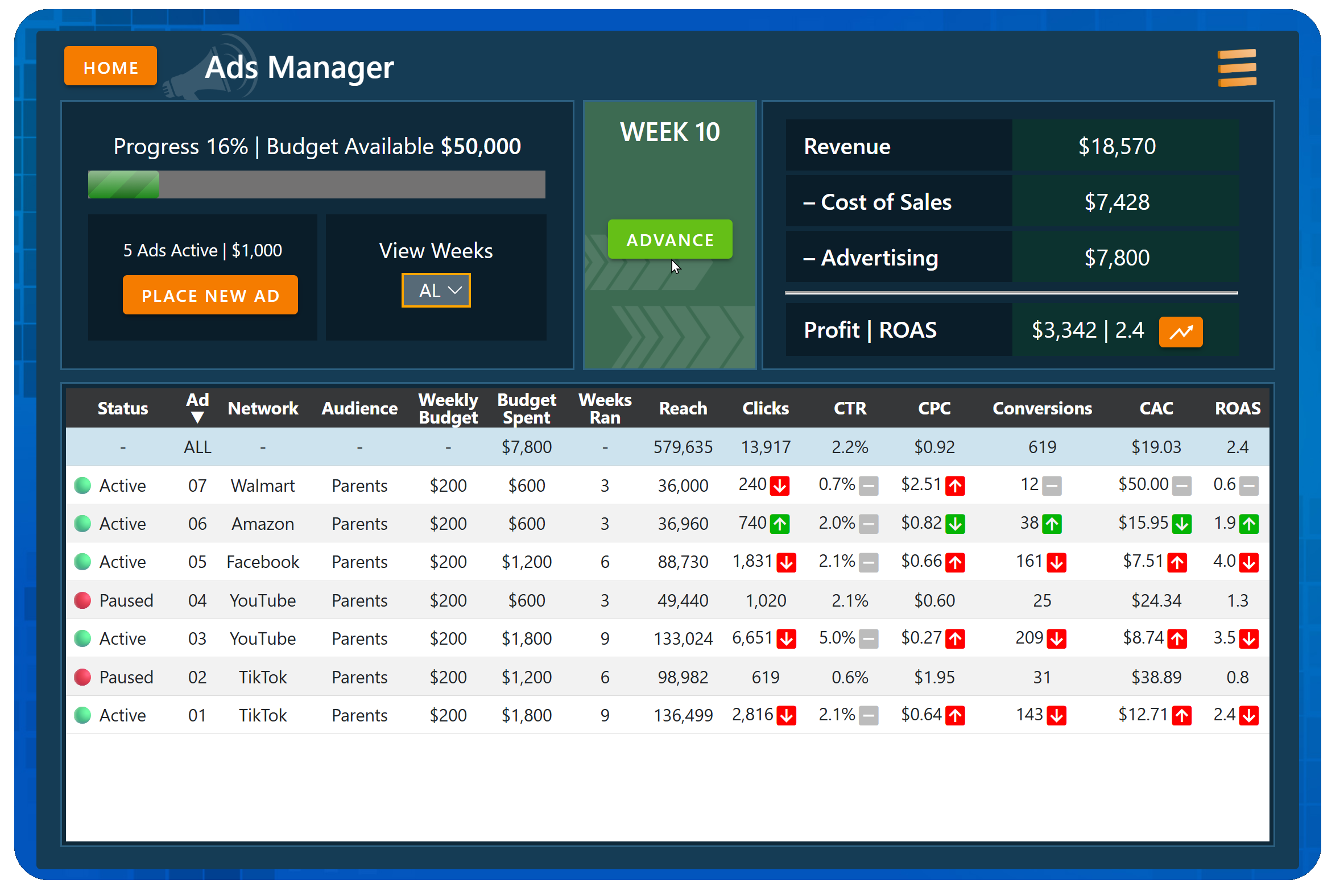
From your simulation Ad Manager, view the Profit | ROAS chart (click the orange icon) and provide all Week 20 metrics — Revenue, Cost of Sales, Advertising, Profit, Margin, Reach, Clicks, CTR, CPC, Conversions (Rate), CAC, and ROAS.
Milestone 3: Ads Manager — Spend all of your budget (Progress 100%)
Reflect on your experience playing the simulation. List 3 things you did well and 3 things you would improve. Provide your brief response in bullet form.
9.6 Advertising Simulation | Comprehensive Activities
Milestone 1: Tutorial, Product & Marketing Strategy, Audiences
From your simulation, provide the information you entered for Product Name, Description, Selling Price, Cost of Sales, Marketing Strategy, and Ad Networks. Also provide the information entered for each of the three Audiences — Name, Age Range, Gender, Location, and Interests & Keywords.
The Performance Score uses a weighted formula based on six measures. Describe each measure and explain why, together, they provide a fair assessment of effort and skill.
Milestone 2: Ads Manager — Spend half of your budget (Progress 50%)
From your simulation Ad Manager screen, view the Profit | ROAS chart (click the orange icon) and provide all Week 20 metrics — Revenue, Cost of Sales, Advertising, Profit, Margin, Reach, Clicks, CTR, CPC, Conversions (Rate), CAC, and ROAS.
From the Ads Manager screen, identify the 3 ads with the highest Return On Ad Spend (ROAS) and provide all metrics shown. (Sort the metrics by clicking the column headings.)
Identify the 3 ads with the lowest Customer Acquisition Cost (CAC). Are they the same ads with the highest ROAS? Explain why or why not.
Identify the 3 ads with the highest number of Conversions. Are they the same ads with the highest ROAS and lowest CAC? Explain why or why not, and how budget may affect these metrics.
Milestone 3: Ads Manager — Spend all of your budget (Progress 100%)
Reflect on your experience playing the simulation. Identify your final results, what you did well, what you would improve, and the lessons you learned. Submit your response as a 10 to 15 minute video presentation.